How To Start Your Pinterest Account
Jun 05, 2026
Your Pinterest account in under an hour. Here's exactly how to set it up right.
Quick Answer
This article will cover account creation, switching to a business account, setting up your first three boards, and posting your first few pins. It works more like Google than Instagram. Aim for 10 repins per board to start.
I have pins from years ago that still generate affiliate clicks every single month. If you set your account up for success, something you post today can still be sending you traffic three years from now. So, if you’ve been putting this off, let’s just get started. I’m going to walk you through setting up your account step by step.
This article will cover account creation, switching to a business account, setting up your first three boards, and posting your first few pins. Pin creation is coming in its own article next.
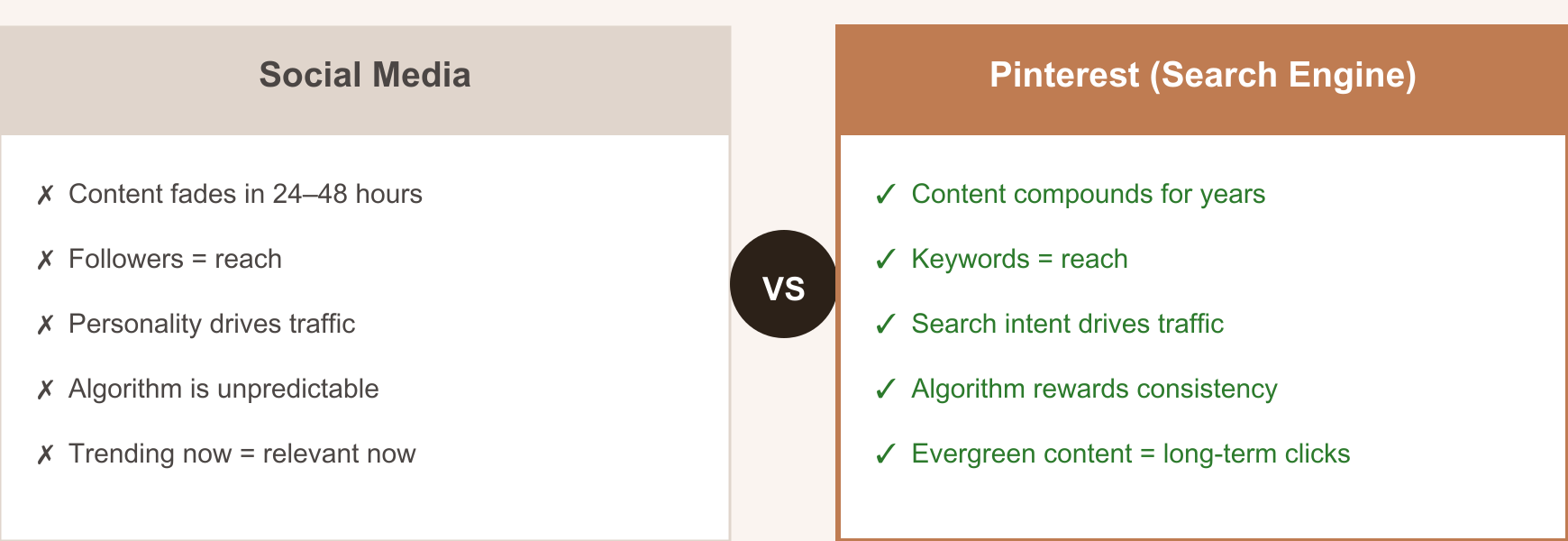
Let’s remember back to my very first article, Pinterest Is Not Social Media, it is a search engine. It works more like Google than Instagram. That is a very important mindset to have while you are setting up your account.
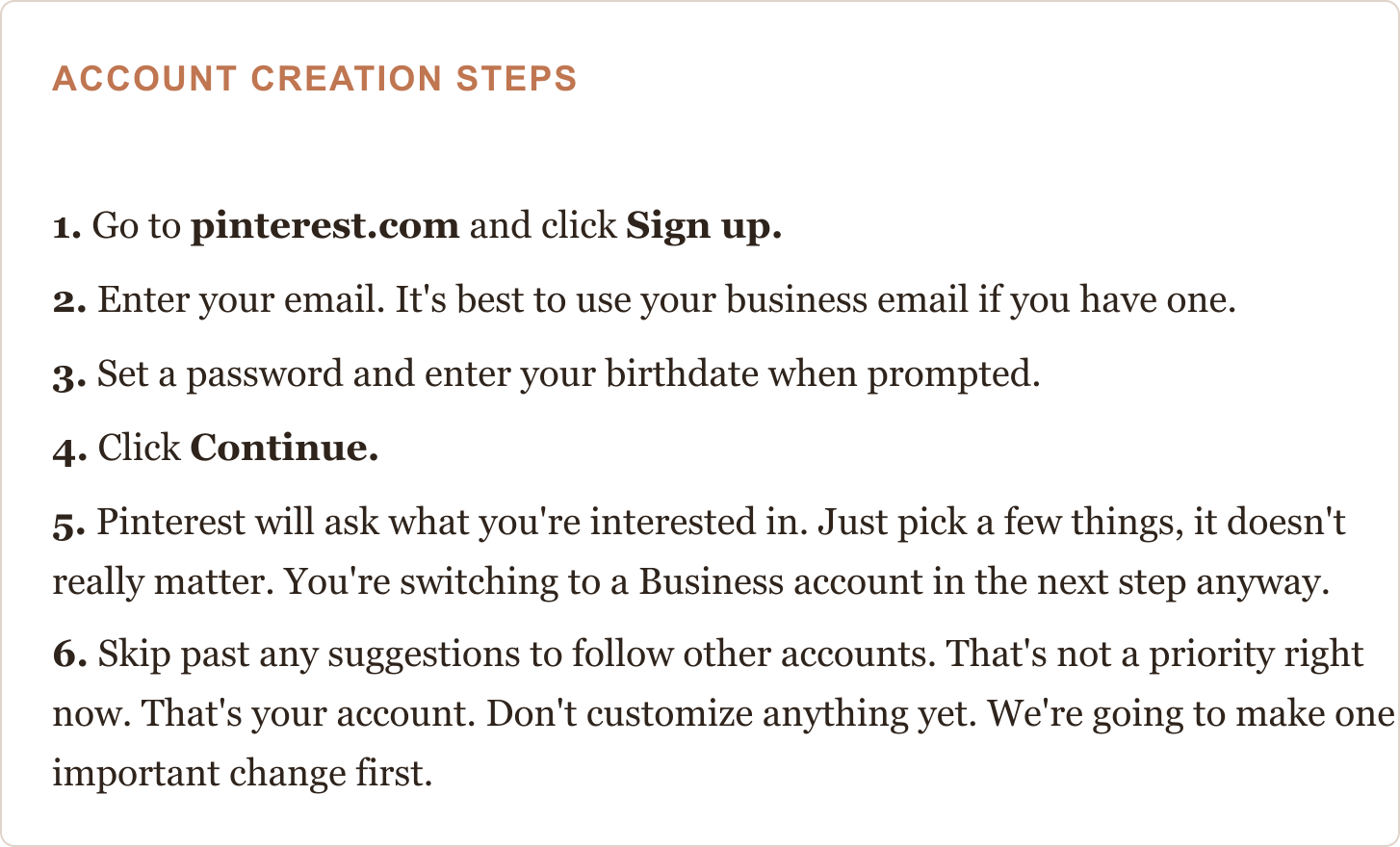
Step 1: How Do You Create a Pinterest Account?
Go to pinterest.com on a desktop or laptop browser if you can. You can do this on your phone, but a bigger screen makes it easier to see what you’re clicking.
Step 2: How Do You Convert to a Pinterest Business Account?
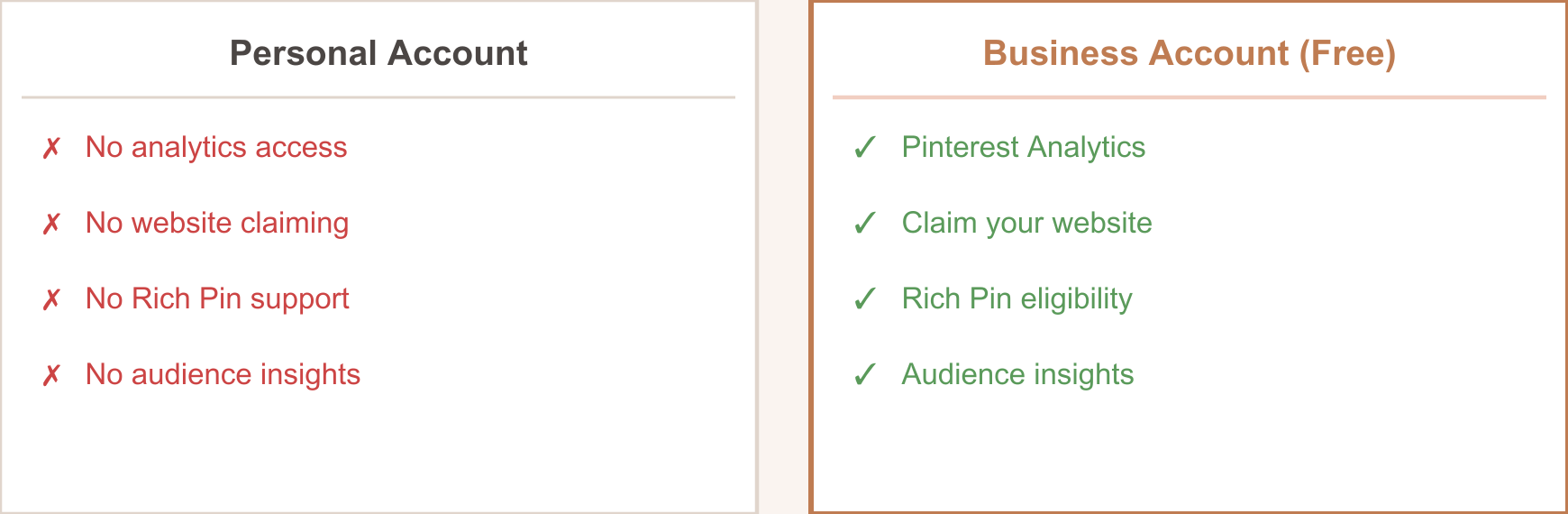
A Business account gives you access to Pinterest Analytics, which is the only way to see how your pins are actually performing. It is completely free to switch.
HOW TO SWITCH TO A BUSINESS ACCOUNT
Click your profile photo in the upper right corner of any Pinterest page.
Choose Settings from the menu that drops down.
Look for Account management in the left-hand sidebar and click it.
Find the option to Convert to a business account and select it.
Work through the prompts. When asked for your business type, “Creator” covers most of us.
Enter your business name. You want this to match your Amazon storefront.
Hit Done and you’re switched over.
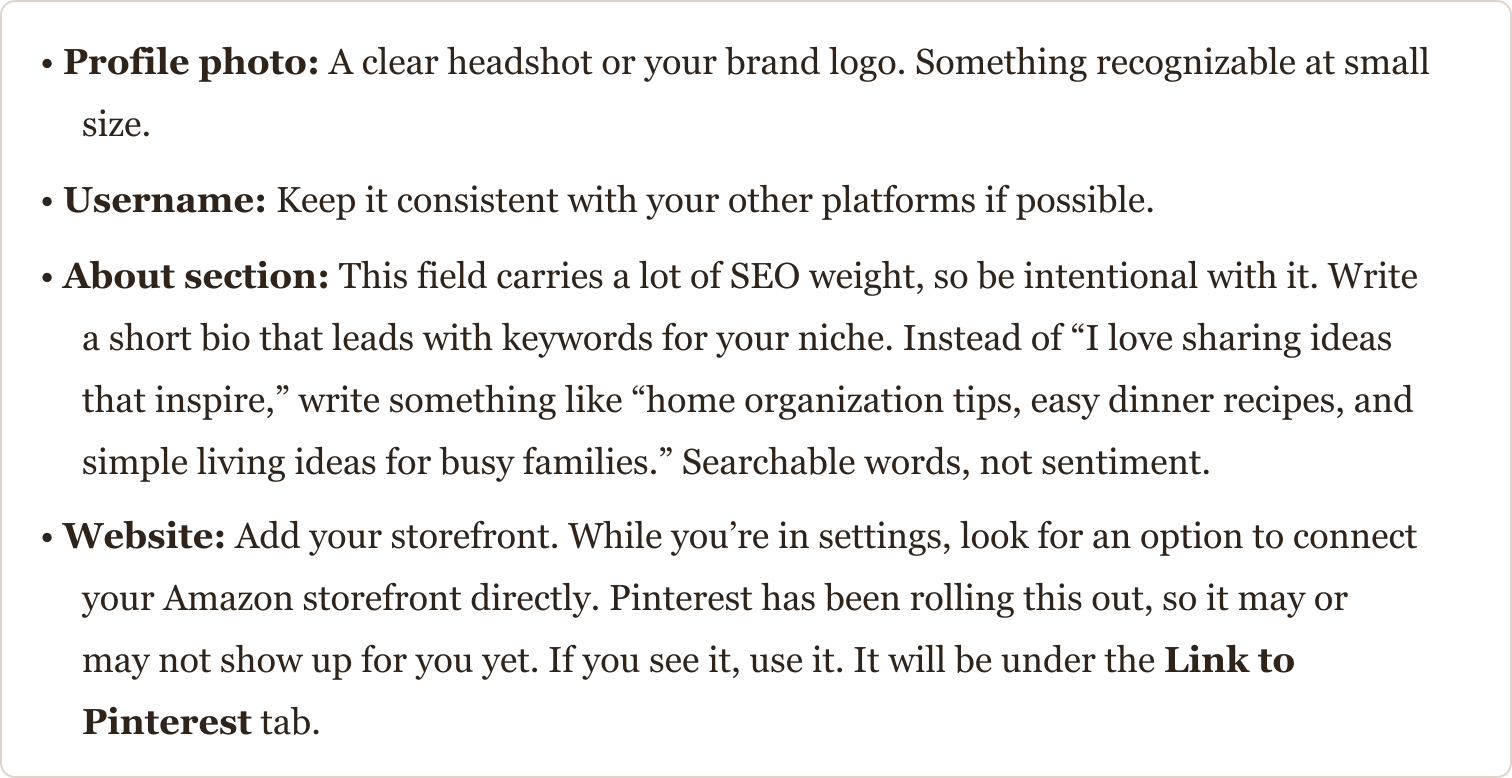
Once you’ve switched over, fill in these four things before we move on to boards.
Step 3: How Do You Create SEO-Optimized Pinterest Boards?
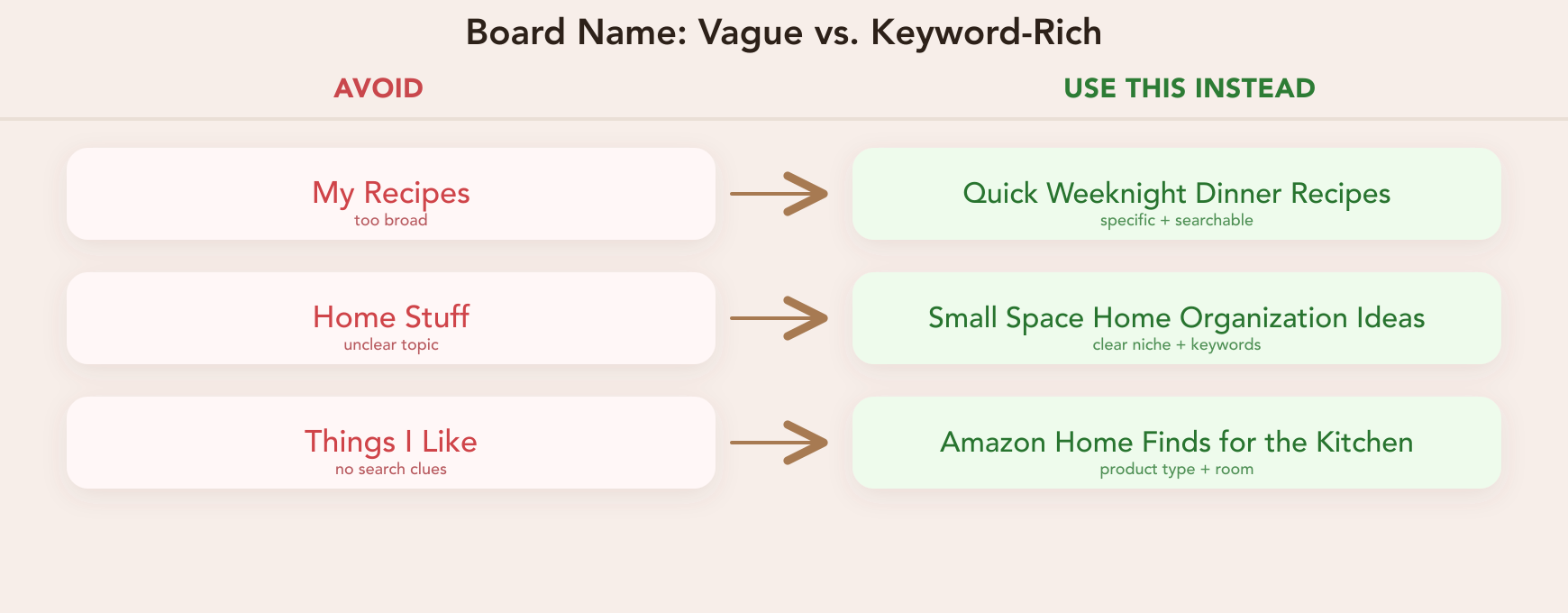
Boards are basically folders. Pinterest reads your board titles and descriptions to figure out what your account is about and who to show it to. This is where your SEO strategy becomes very important. Random board names get random results. Specific, keyword-based names put you in front of the people actually searching for the products you are sharing.
Your first three boards set the tone for the whole account. Think of them as the three main topics you create content around. I want you to think of the way you would search for those terms.
BEFORE YOU CREATE YOUR BOARDS
If you don't have a keyword tool yet, Pinterest's own search bar is a good place to start. Type your topic into the search bar and watch what comes up in the autocomplete suggestions — those are real searches people are making right now. You can also look at the category tags that appear at the top of the results after you search. Those tags tell you how Pinterest is already organizing that content. Pick the phrases that match what you actually create, not the broadest possible term. "Home decor" tells Pinterest nothing. "Small apartment living room ideas" is more what we are going for.
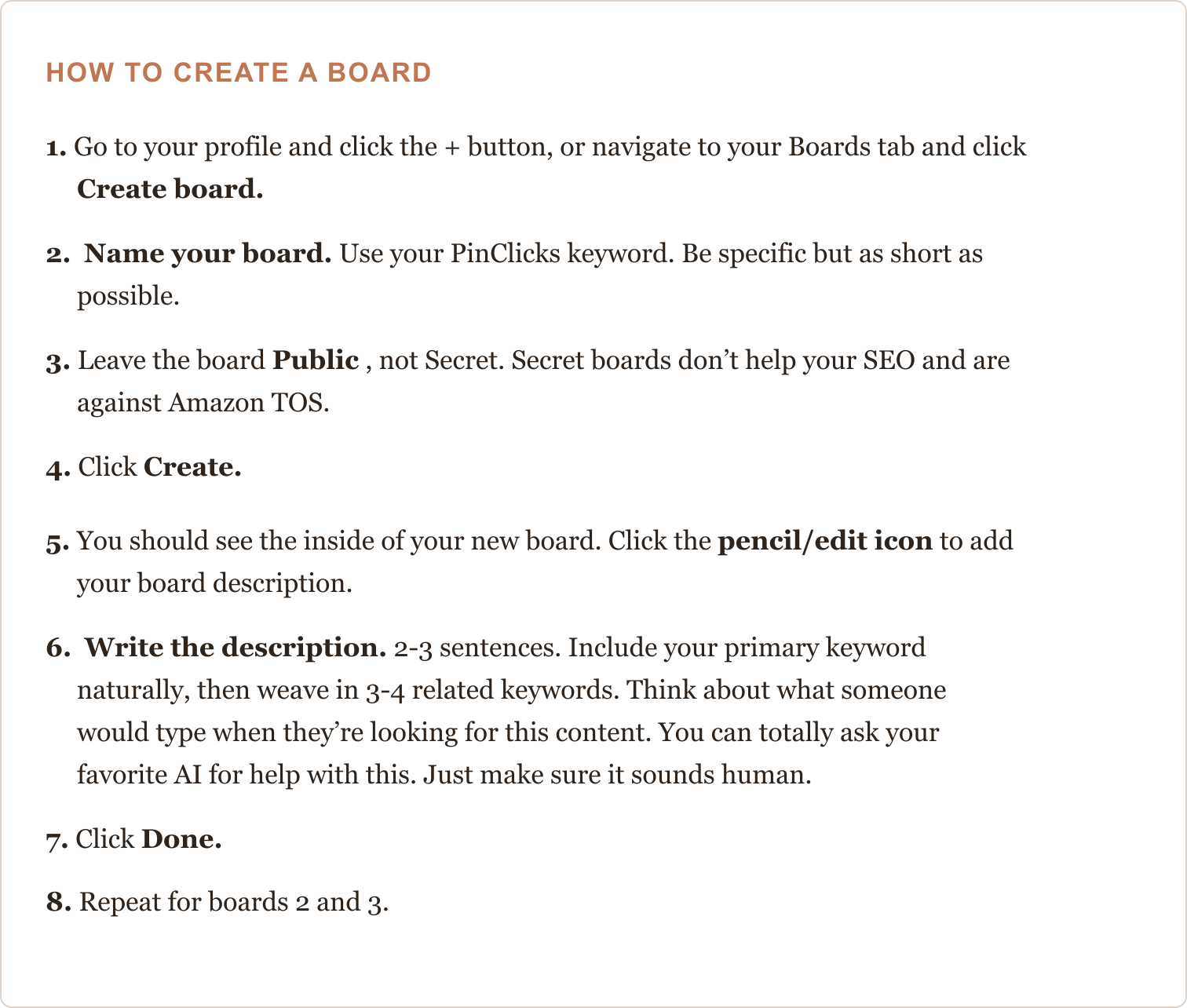
WHAT A GOOD BOARD DESCRIPTION LOOKS LIKE
“Everything you need for quick weeknight dinner recipes, from simple 30-minute meals to easy family dinners and budget-friendly meals.”
Primary keyword (from PinClicks): quick weeknight dinner recipes
Related supporting keywords: 30-minute meals, easy family dinners, budget-friendly meals.
Write it like a real sentence. If it sounds weird out loud, rewrite it.
Pinterest reads your board description to understand what belongs in it. Write it like a real sentence, not a tag cloud.
Once you get those first three down, feel free to send them over to me in the Facebook group and I’ll take a look if you want. If you feel good about it on your own then over the next week create more boards.
Step 4: How Do You Fill Your Pinterest Boards with Repins?
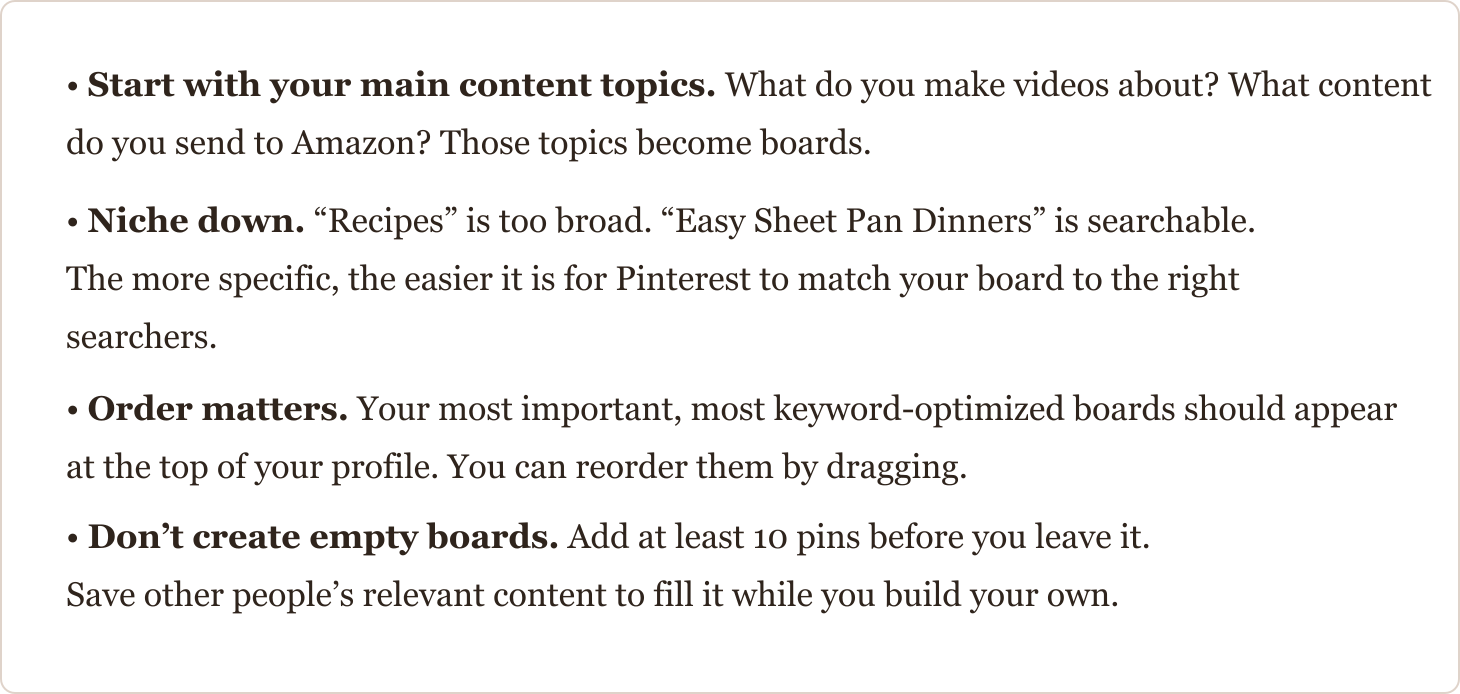
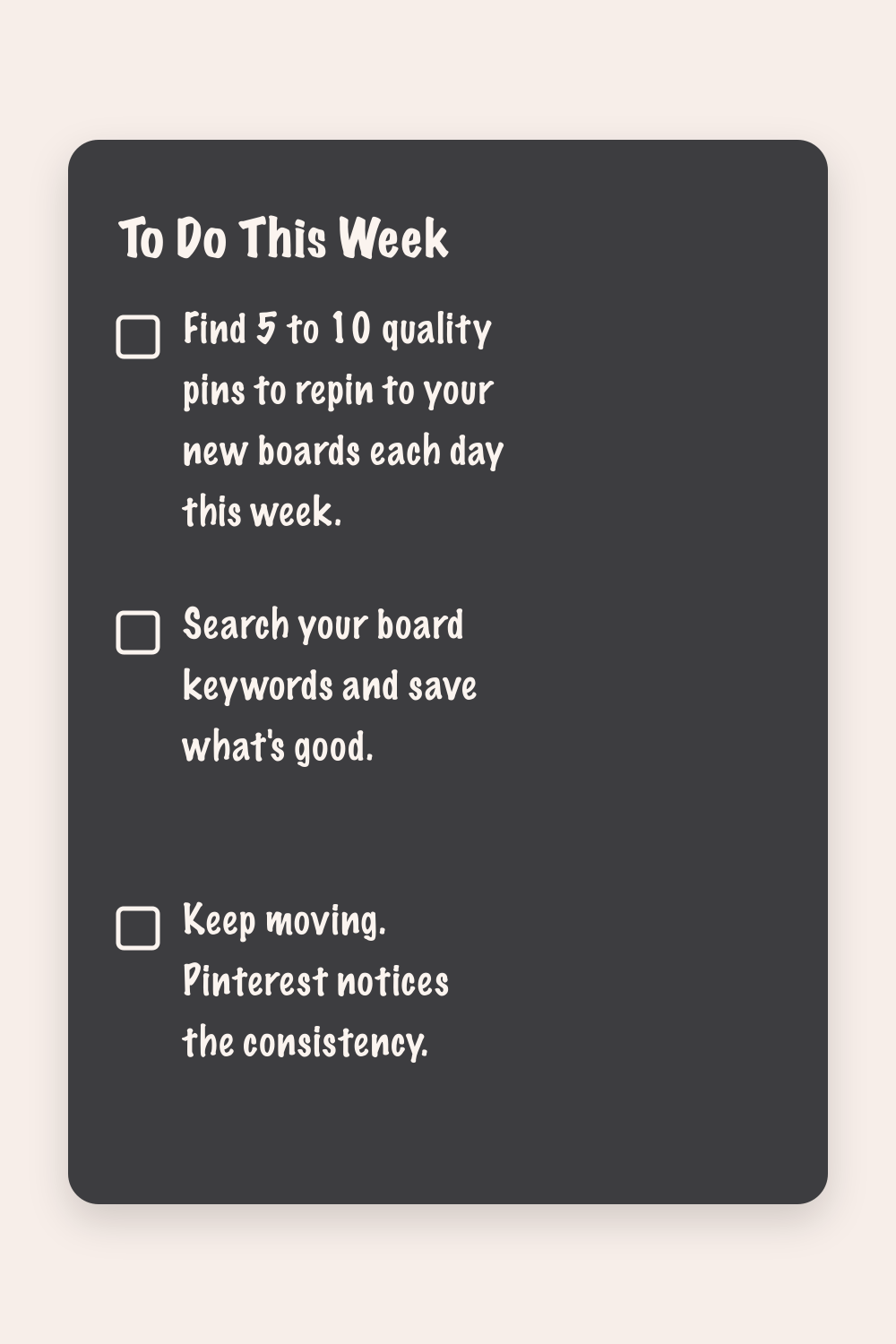
Before you start creating your own pins, you need content on your boards. Repinning other people’s relevant pins is how you do that. It wakes up your account, signals to Pinterest that your boards are active, and gives the algorithm something to work with while you build your own content.
Aim for 10 repins per board to start. That’s 30 pins total across your three boards. It sounds like a lot, but it goes fast once you’re searching in your niche.
How to Save Someone Else’s Pin to Your Board
Go to the Pinterest search bar and type in your board’s keyword — the same one you used when you named it.
Scroll through the results and look for pins that are relevant, high quality, and would actually be useful to someone in your audience.
When you find one you like, hover over it. You’ll see a red Save button appear in the top right corner of the pin.
Click Save.
A menu will pop up showing your boards. Select the board that matches the pin’s topic.
That’s it. The pin is now saved to your board.
Repeat until you have at least 10 pins on each board.
Look for pins that link to real, useful content. Skip anything that looks spammy or has broken images or other affiliate links. Quality matters more than speed here. Next week I will walk you through how to make your own highly optimized pins. But until then...
Happy Pinning!
Frequently Asked Questions
How do I switch to a Pinterest business account?
A Business account gives you access to Pinterest Analytics, which is the only way to see how your pins are actually performing. It is completely free to switch.
How do I name Pinterest boards for SEO?
Specific, keyword-based names put you in front of the people actually searching for the products you are sharing. "Home decor" tells Pinterest nothing. "Small apartment living room ideas" is more what we are going for.
How do I write a Pinterest board description?
Pinterest reads your board description to understand what belongs in it. Write it like a real sentence, not a tag cloud.
How many pins should I put on a new board?
Aim for 10 repins per board to start. That’s 30 pins total across your three boards.
Struggling with trying to figure out the Amazon Influencer Program? After reading this guide, you'll know what to film next and have a manageable plan for getting to your first 100 videos.
About Barb | Founder of Storefront Launch
Barb was working with brands before “content creator” was a job title.
Back in 2008, she helped develop branded Twitter parties: live, hashtag-based conversations that brought companies and consumers together. She helped turn those conversations into something brands could buy, then spent years pitching campaigns, recruiting paid bloggers, organizing events, and teaching other women how to use social media for business.
She was part of the original wave of “mommy bloggers” (because apparently women building successful online businesses needed a cute little nickname). Her work included brand ambassador roles with Disney, Kraft, Verizon, and GMC.
Today, Barb brings that experience—and a master’s degree in education—to Storefront Launch. She helps women make sense of Amazon Influencer, Walmart Creator, and affiliate marketing, with practical ways to earn from the content they’re already creating. Less hype. More “okay, here’s how you actually do it.” Because, to loosely quote Lin-Manuel Miranda, she was “in the room where it happen(ed).”